



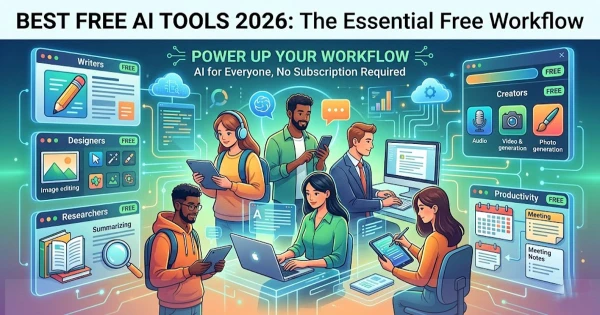
Artificial intelligence is no longer a luxury reserved for big companies, software engineers, or paid subscribers. In 2026, the best free AI tools are helping students summarize research, small businesses design campaigns, writers polish drafts, job seekers prepare applications, and creators produce images, videos, and audio at remarkable speed. The real challenge is no longer finding AI tools—it is knowing which free tools are genuinely useful, reliable, and worth your time.
The phrase “Best Free AI Tools 2026” now covers far more than chatbots. It includes writing assistants, image generators, research engines, meeting summarizers, coding copilots, productivity platforms, and no-code automation tools. While free plans often come with limits, the right combination can still build a powerful digital workflow without a monthly bill.
Why Free AI Tools Matter More Than Ever
Free AI tools have become the entry point for millions of people learning how to work with artificial intelligence. For freelancers, students, teachers, marketers, entrepreneurs, and office workers, they offer a low-risk way to test new workflows before investing in premium software.

The best free AI tools share several long-term qualities:
- They solve a real problem, not just a novelty task.
- They are easy enough for beginners but useful for experienced users.
- They save measurable time in writing, research, planning, design, or coding.
- They offer a free plan that remains practical for everyday use.
- They fit into existing workflows rather than forcing users to start over.
This is what separates sustainable AI productivity tools from short-lived trends.
The Best Free AI Tools 2026 for Everyday Productivity
1. ChatGPT: A Flexible AI Assistant for Daily Work
ChatGPT remains one of the most widely used AI tools for brainstorming, drafting, summarizing, learning, and problem-solving. Its free version is especially valuable for users who need a general-purpose assistant that can help with emails, outlines, study notes, social media captions, interview preparation, and basic coding explanations.
Its strength is flexibility. A student can ask it to explain a difficult concept. A business owner can request product descriptions. A writer can use it to improve clarity. A job seeker can tailor a resume summary. Used carefully, it becomes a productivity partner rather than a replacement for human judgment.
Best uses include:
- Drafting emails and documents
- Generating blog post outlines
- Simplifying complex topics
- Creating study plans
- Reviewing text for tone and structure
2. Google Gemini: Strong for Search-Connected Tasks
Google Gemini is useful for people who rely heavily on Google’s ecosystem. It can help with research, summaries, planning, writing assistance, and idea development. For users already working with Gmail, Docs, Drive, or Search, Gemini can be a natural part of daily productivity.
Its biggest advantage is convenience. People who want an AI assistant that feels connected to the way they already search, write, and organize information may find it especially practical.
3. Microsoft Copilot: A Free AI Companion for Office Users
Microsoft Copilot is another major free AI tool for 2026, particularly for users who work with Windows, Microsoft Edge, Bing, Word, Excel, or PowerPoint. Even when advanced business features require paid plans, the free version can still help with general research, writing, summaries, and quick explanations.
It is especially useful for office workers who need help turning rough ideas into clearer messages, checking the structure of a report, or preparing talking points for a presentation.
Best Free AI Tools for Research and Learning
4. Perplexity AI: A Research-Focused Answer Engine
Perplexity AI is one of the most useful free AI tools for research because it is designed to answer questions with source awareness. Instead of simply generating text, it helps users explore topics, compare information, and move from a broad question to a more focused understanding.
This makes it valuable for students, journalists, analysts, bloggers, and professionals who need quick background research. As with any AI research tool, users should verify important facts directly from original sources.
5. NotebookLM: A Powerful Tool for Working With Documents
NotebookLM is especially useful for people who need to understand long documents, notes, PDFs, reports, or research materials. Rather than searching the open web, it can help users interact with the documents they provide.
This type of tool is valuable because it supports a more grounded workflow. Instead of asking an AI model to guess, users can ask questions based on their own files, making it useful for studying, legal review, policy analysis, training materials, and content planning.
Best Free AI Writing and Editing Tools
6. Grammarly: Polished Writing for Professionals and Students
Grammarly continues to be one of the most practical AI writing tools for grammar, clarity, tone, and sentence improvement. Its free version is helpful for emails, essays, reports, resumes, and website copy.
For long-term use, Grammarly’s value lies in its simplicity. It does not require users to become prompt engineers. It works quietly in the background and helps improve everyday writing.
7. QuillBot: Useful for Rewriting and Summarizing
QuillBot is popular among students, bloggers, and professionals who need help paraphrasing, summarizing, and improving sentence flow. The free version is most useful when the goal is to reshape existing text, simplify wording, or create a cleaner version of a rough draft.
However, users should avoid using any rewriting tool to disguise copied work. The strongest use case is improving original writing, not replacing original thinking.
8. DeepL Write: Clearer Language and Better Tone
DeepL Write is a strong option for people who want cleaner, more natural English. It is especially helpful for non-native English speakers, international professionals, and writers who want to refine tone without making their work sound robotic.
It works well for:
- Business emails
- Academic paragraphs
- Website copy
- Professional messages
- Short reports and proposals
Best Free AI Tools for Design, Images, and Creative Work
9. Canva AI Tools: Fast Design for Non-Designers
Canva has become a central platform for creators, teachers, marketers, and small businesses. Its free plan offers useful design features, and its AI-powered tools can help generate layouts, social media graphics, presentations, and visual ideas.
The lasting value of Canva is not just AI generation. It combines templates, editing tools, branding features, and export options in one accessible workspace. For non-designers, that combination is often more useful than a standalone image generator.
10. Adobe Express: Simple AI-Assisted Content Creation
Adobe Express offers accessible tools for social graphics, posters, short videos, flyers, and quick brand materials. Its AI features are useful for creators who want professional-looking output without learning complex design software.
For small businesses and content creators, tools like Adobe Express help close the gap between having an idea and publishing something polished.
11. Leonardo AI, Ideogram, and Free Image Generators
AI image generators are especially useful for concept art, thumbnails, mood boards, product mockups, and creative inspiration. Tools such as Leonardo AI and Ideogram are often used by creators who want visuals quickly without starting from a blank canvas.
The smartest approach is to use free AI image tools for ideation and drafts, then refine the final result manually. This keeps the work original and reduces the risk of generic-looking visuals.
Best Free AI Tools for Video, Audio, and Meetings
12. CapCut: AI-Assisted Video Editing for Creators
CapCut is widely used for short-form video editing, captions, templates, and fast production workflows. Its AI features can help with auto-captions, background adjustments, and quick edits, making it valuable for creators, educators, and small businesses.
Video remains one of the strongest content formats online, and free AI video tools lower the barrier for people who do not have professional editing experience.
13. Otter.ai and Meeting Assistants
AI meeting tools such as Otter.ai help users transcribe conversations, summarize discussions, and capture action items. Free plans typically have limits, but they can still be useful for students, remote teams, interviewers, and professionals who attend frequent meetings.
The main benefit is not just transcription. It is the ability to turn spoken information into searchable notes.
Best Free AI Tools for Coding and Automation
14. GitHub Copilot Alternatives, Code Assistants, and AI Coding Tools
Developers and beginners can benefit from free AI coding assistants that explain code, suggest functions, debug errors, and generate examples. Tools connected to platforms such as Replit, Codeium, and open-source coding assistants can help users learn programming faster.
The best use of AI coding tools is educational and collaborative. They can explain why code works, identify mistakes, and suggest improvements, but users should still test everything carefully.
15. Hugging Face and Google AI Studio for Builders
For people who want to experiment beyond consumer apps, Hugging Face and Google AI Studio offer access to models, demos, and development environments. These platforms are valuable for learners, developers, researchers, and startup founders testing AI ideas.
They are not always as simple as chatbots, but they provide deeper access to how AI systems work.
How to Choose the Best Free AI Tools in 2026
The best free AI tool is not always the most famous one. It is the one that fits your task, skill level, privacy needs, and workflow.
Before choosing a tool, ask:
- What problem am I trying to solve?
- Does the free plan offer enough usage for my needs?
- Can I export or save my work easily?
- Does the tool protect sensitive information?
- Is the output accurate enough for my use case?
- Will this tool still be useful when the novelty wears off?
A good AI workflow usually includes a few reliable tools rather than dozens of random apps.
Final Takeaway
The best free AI tools 2026 are not just about automation; they are about leverage. They help people write faster, research smarter, design better, learn more efficiently, and turn ideas into finished work with fewer barriers. Free plans may change over time, but the core strategy will remain the same: choose tools that solve lasting problems, verify important information, protect your data, and keep human judgment at the center.
Used wisely, free AI tools can become a permanent advantage—not because they replace skill, but because they help people use their skills more effectively.